
How Zoho Workplace + Zoho CRM Integration Simplifies Daily Sales Work
If you work on Zoho CRM every day, you already know how capable it is. It supports pipeline tracking, forecasting, automation, reporting—everything required to manage a modern sales process.
It happens across:
Emails
Internal chats
Shared documents
Quick deal updates throughout the day
Zoho Workplace is where your daily work actually happens (Mail, Cliq, WorkDrive, and more). When it’s integrated with Zoho CRM, you can perform key CRM actions directly from these tools—without constantly opening CRM.
This integration doesn’t replace Zoho CRM. For:
Pipeline management
Reporting
Automation
Forecasting
👉 CRM remains essential.
For sales teams, this helps streamline small but frequent actions that happen throughout the day.
View CRM Details Directly Inside Zoho Mail
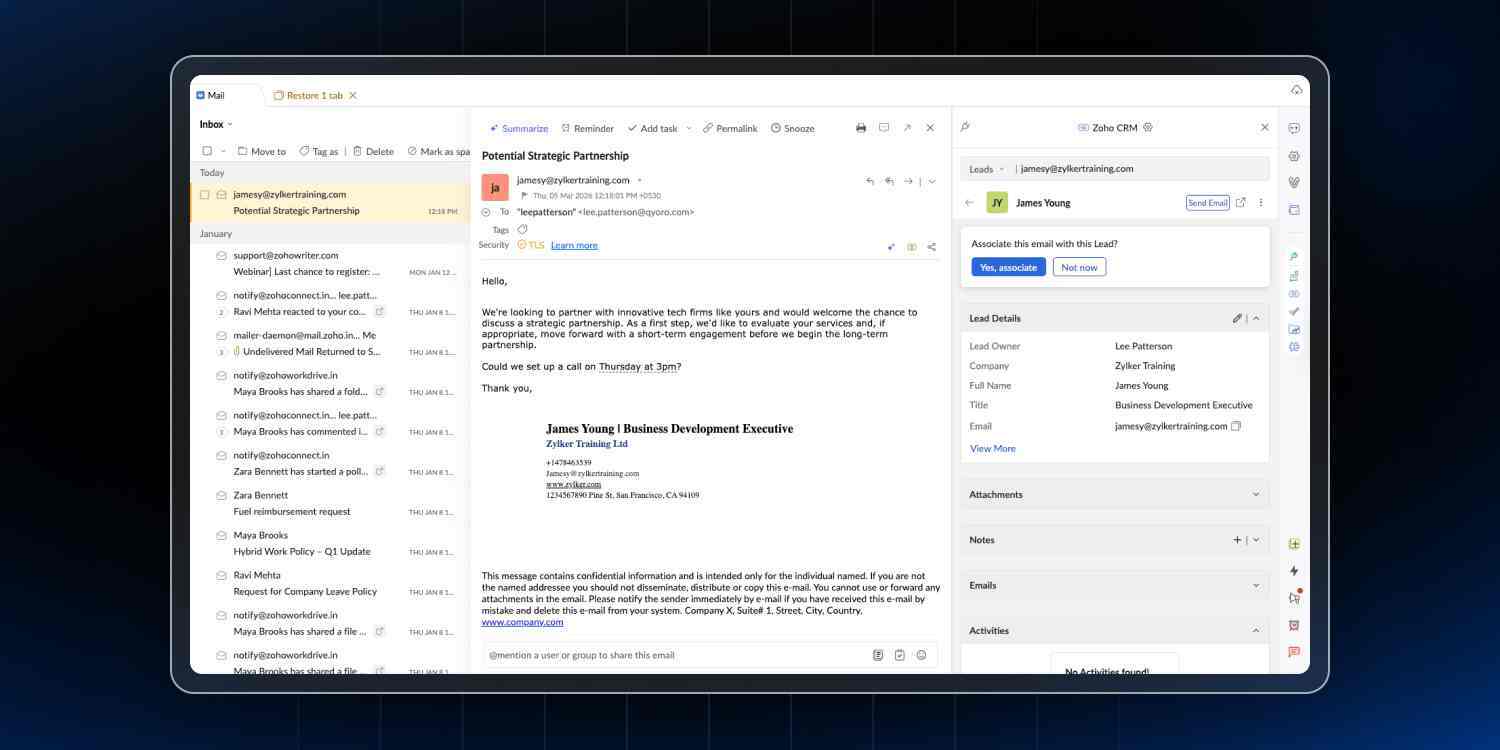
One of the most practical yet underused features is the CRM eWidget in Zoho Mail.
When you open an email from an existing lead or contact:
Their CRM details appear automatically in the sidebar
You can see deal stage, past interactions, notes, and open tasks
No need to switch tabs or search manually
The question “Any update?” depends heavily on deal context. A deal in negotiation is very different from one that hasn’t moved in weeks.
Without the eWidget, you would:
Open CRM
Search for the contact
Review details
Come back to your inbox
With it, all context is already visible—so you can respond instantly and more accurately.
Add New Leads to CRM Right from Your Inbox
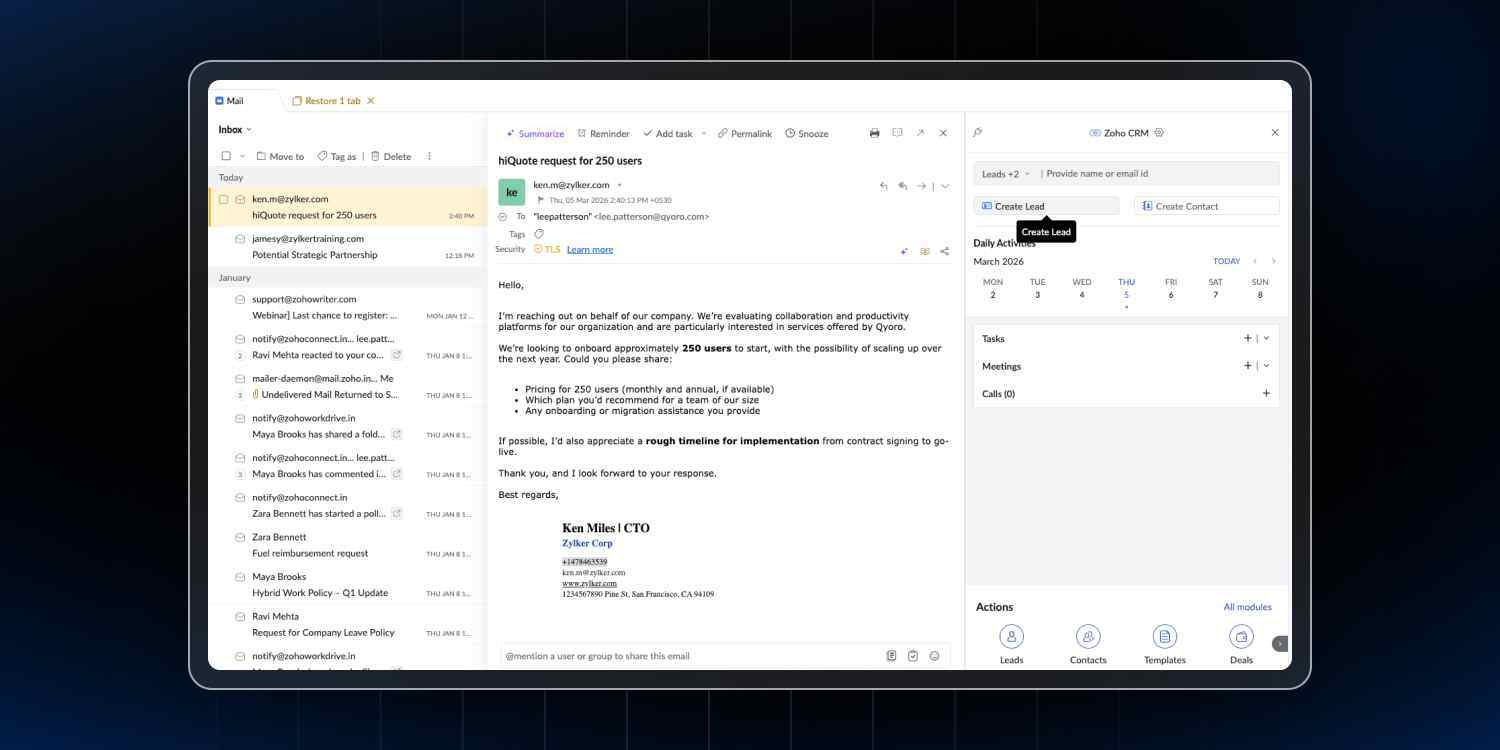
If someone emails you and isn’t in your CRM yet, you can add them instantly.
Their:
Name
Email
Company
are captured automatically.
From the same sidebar, you can also:
Add a new lead or contact
Create a deal from the conversation
Log notes from the email
Set a follow-up task with reminders
All of this happens while you’re replying.
👉 This increases the chances that updates are done immediately—not postponed.
Keep Documents Updated Across WorkDrive and CRM
In active deals, documents often go through multiple revisions.
The issue:
Final version lives in WorkDrive
CRM still shows an older version
This creates confusion and errors.
When you attach a WorkDrive file to a CRM record:
It links to the original file
No duplicate copies are created
Updates reflect automatically in CRM
Receive CRM Updates Directly in Zoho Cliq
Most team communication happens in Zoho Cliq.
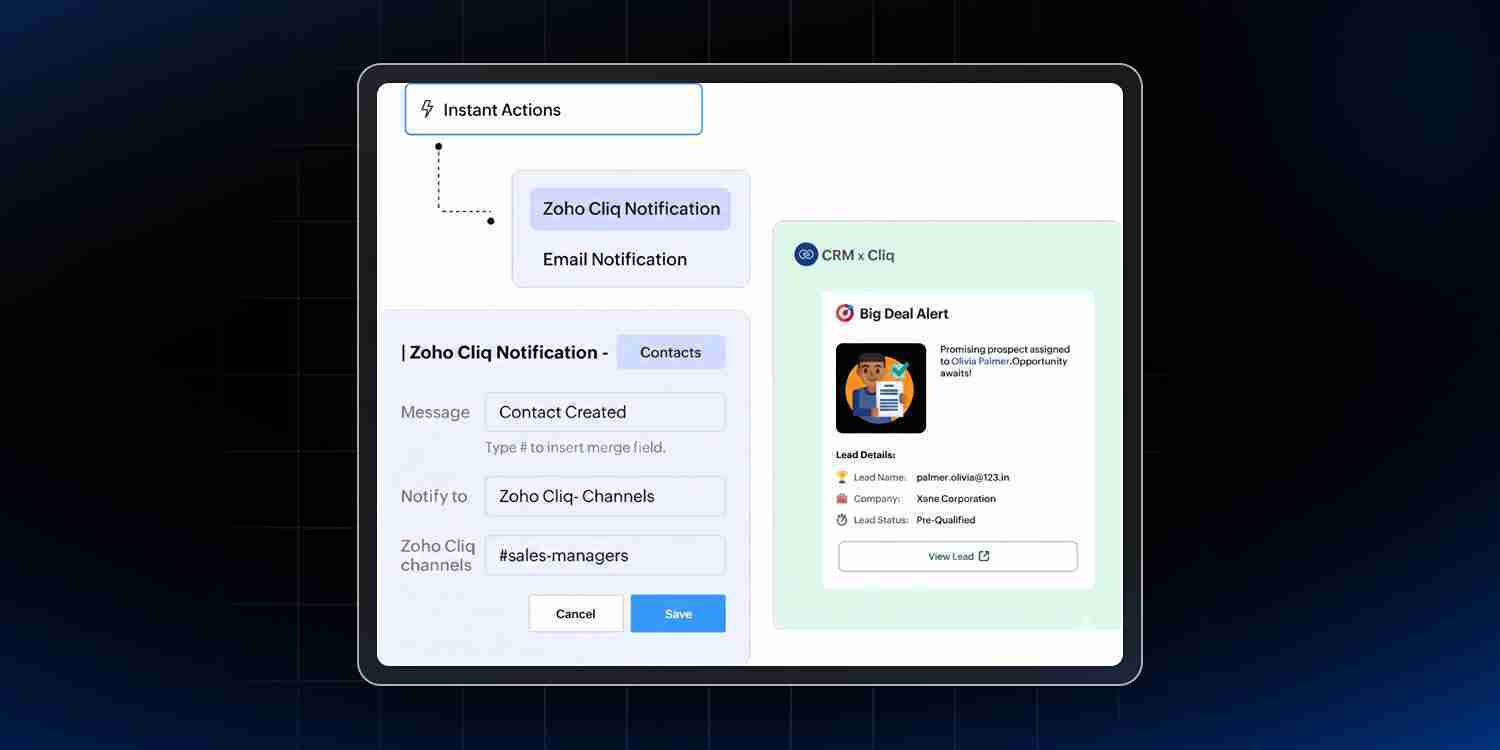
Normally, checking CRM data requires:
Leaving Cliq
Opening CRM
Searching records
Coming back
Using workflow rules in CRM, you can trigger notifications such as:
New lead assignment
Deal crossing a value threshold
Deal stage changes (Negotiation / Closed Won)
Overdue follow-ups
Example Workflow Setup
CRM Event | Notification Destination |
New lead assigned | Rep DM / Team channel |
High-value deal created | Sales channel |
Deal moved to closing stage | Team channel |
Webform lead received | Assigned owner |
Task overdue | Direct message to rep |
Use Zoho CRM Bot in Cliq
The Zoho CRM bot brings data directly into your conversations.
You can:
Search contacts and accounts
View deals and activities
Check product lists
See client revenue
You can also ask quick questions like:
Deals created today
Number of leads added
Open activities
👉 No need to leave Cliq for quick CRM insights.
To enable it:
Go to Zoho Workplace settings
Add Bots in sidebar
Select Zoho CRM bot
Once enabled, you can start querying CRM instantly.
Bring Everything Together with Trident
Zoho Trident is the desktop app for Zoho Workplace.
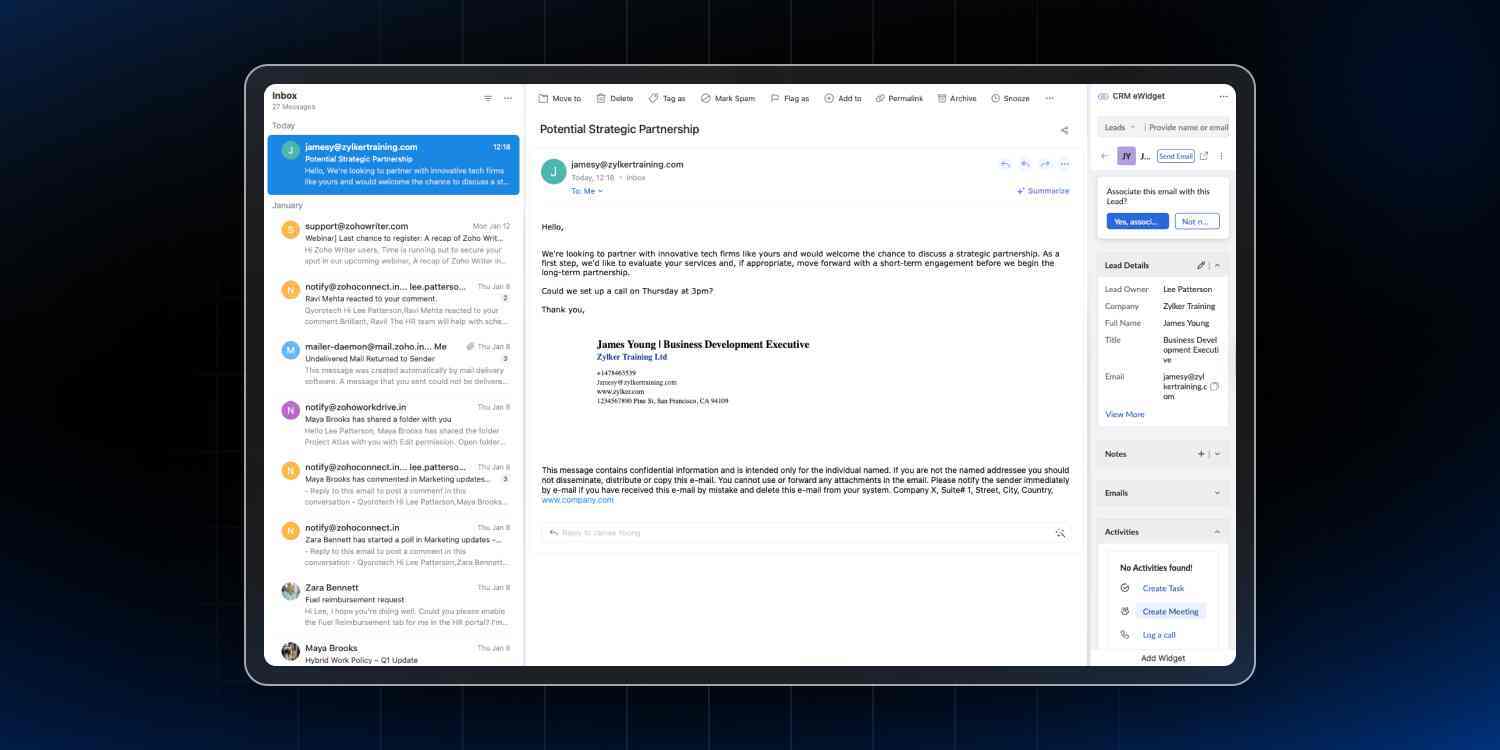
It combines:
Mail
Cliq
WorkDrive
Calendar
in a single interface.
With CRM integration:
Email arrives → CRM data is visible
You reply → log notes
Set follow-up → without switching tabs
At the same time:
Cliq notifications appear
Deals can be reviewed instantly
Updates can be shared with your team
👉 Everything works together in one place.
Trident is available on:
Windows
Mac
Linux
and comes included with Zoho Workplace.
It Works Both Ways
The integration is not just Workplace → CRM.
It also works from CRM → Workplace.
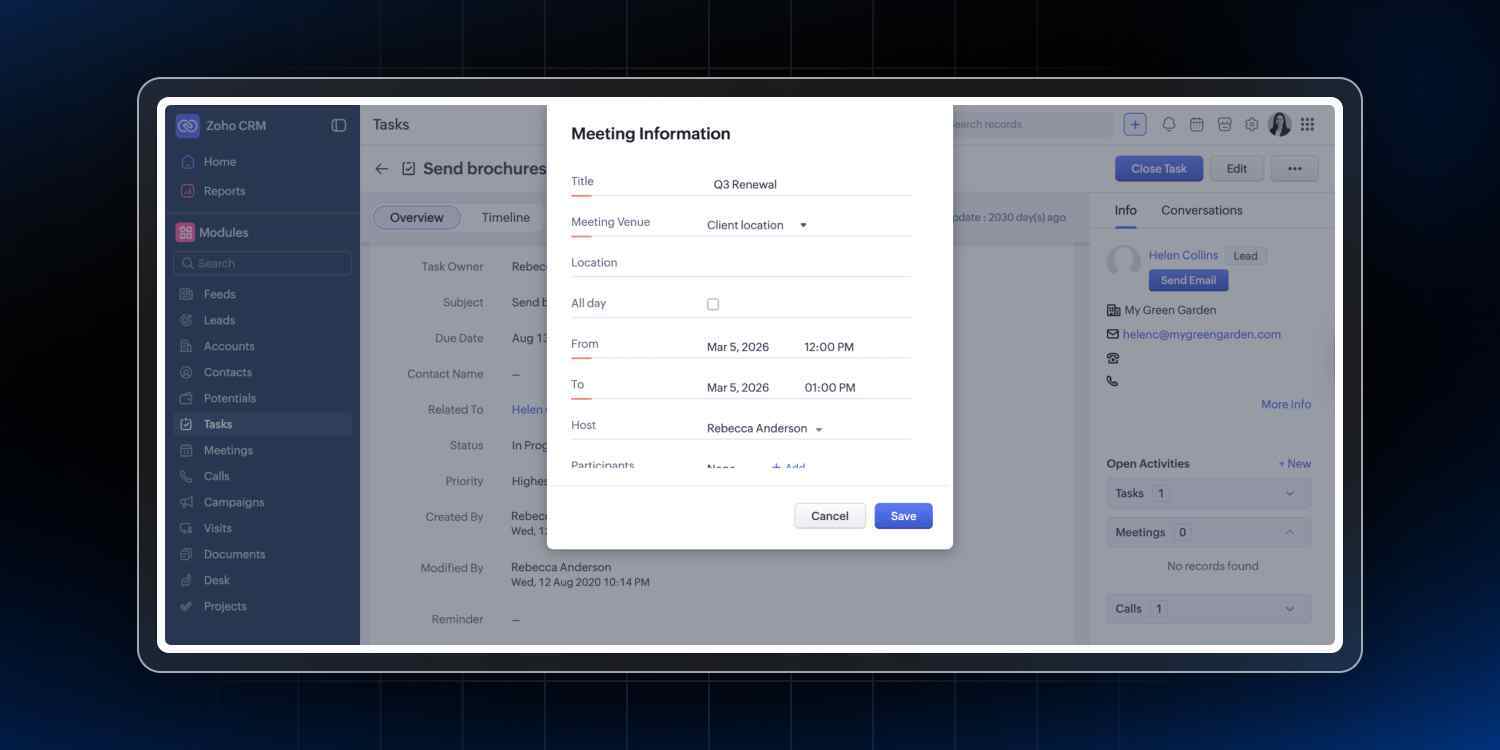
From CRM, you can:
Send emails via Zoho Mail
Schedule meetings instantly
Log meeting activity automatically
Share records in Cliq channels
This ensures:
Full communication history
Better collaboration
No missing context
How Zoho Workplace Reduces Constant Switching
This integration helps reduce how often you need to open CRM for routine tasks.
Handled inside Workplace
View CRM data in Mail
Add leads instantly
Log notes and tasks
Create deals from emails
Track email engagement (Signals)
Attach live documents (WorkDrive)
Receive alerts (Cliq)
Fetch CRM data via bot
Share records in chat
Schedule meetings
Handled inside CRM
Pipeline management
Forecasting
Reporting and dashboards
Workflow automation
Full data management
Advanced analytics (Zia AI)
Getting Started with These Integrations
Most features are quick to enable and require minimal setup.
Feature | Setup |
Mail eWidget | Available by default |
Signals | Enable in CRM settings |
WorkDrive files | Attach from CRM records |
Cliq notifications | Configure workflow rules |
CRM Bot | Add in Cliq settings |
Zoho Meeting | Available in CRM activities |
Why This Matters
Zoho CRM gives your sales process structure.
But your daily work happens across:
Emails
Chats
Documents
Meetings
When Zoho Workplace is connected to CRM:
Updates happen in real time
Manual effort reduces
Response time improves
Team coordination becomes smoother
Final Takeaway
You don’t need more tools to improve sales performance.
You need better integration between the tools you already use.
With Zoho CRM + Zoho Workplace integration:
Your CRM stays updated automatically
Your team works faster
And small daily tasks stop becoming bottlenecks
Frequently Asked Questions
1. What is Zoho Workplace integration with Zoho CRM?
Zoho Workplace integration connects tools like Mail, Cliq, and WorkDrive with Zoho CRM, allowing users to access and update CRM data directly from these apps.
2. Does Zoho Workplace replace Zoho CRM?
No, Zoho Workplace does not replace CRM. It complements CRM by enabling quick actions, while CRM remains essential for pipeline management, reporting, and automation.
3. How does Zoho CRM integration improve sales productivity?
It reduces manual work, minimizes tool switching, improves response time, and ensures real-time data updates.
4. Can I add leads from Zoho Mail to CRM?
Yes, you can add leads directly from emails using the CRM eWidget in Zoho Mail.
5. What is the Zoho CRM bot in Cliq?
It’s a chatbot that allows users to fetch CRM data, view deals, and get insights without leaving Zoho Cliq.