
Build a clear, predictable sales process and close deals faster with a unified customer view.
What is a 360-Degree Sales View in Zoho CRM?
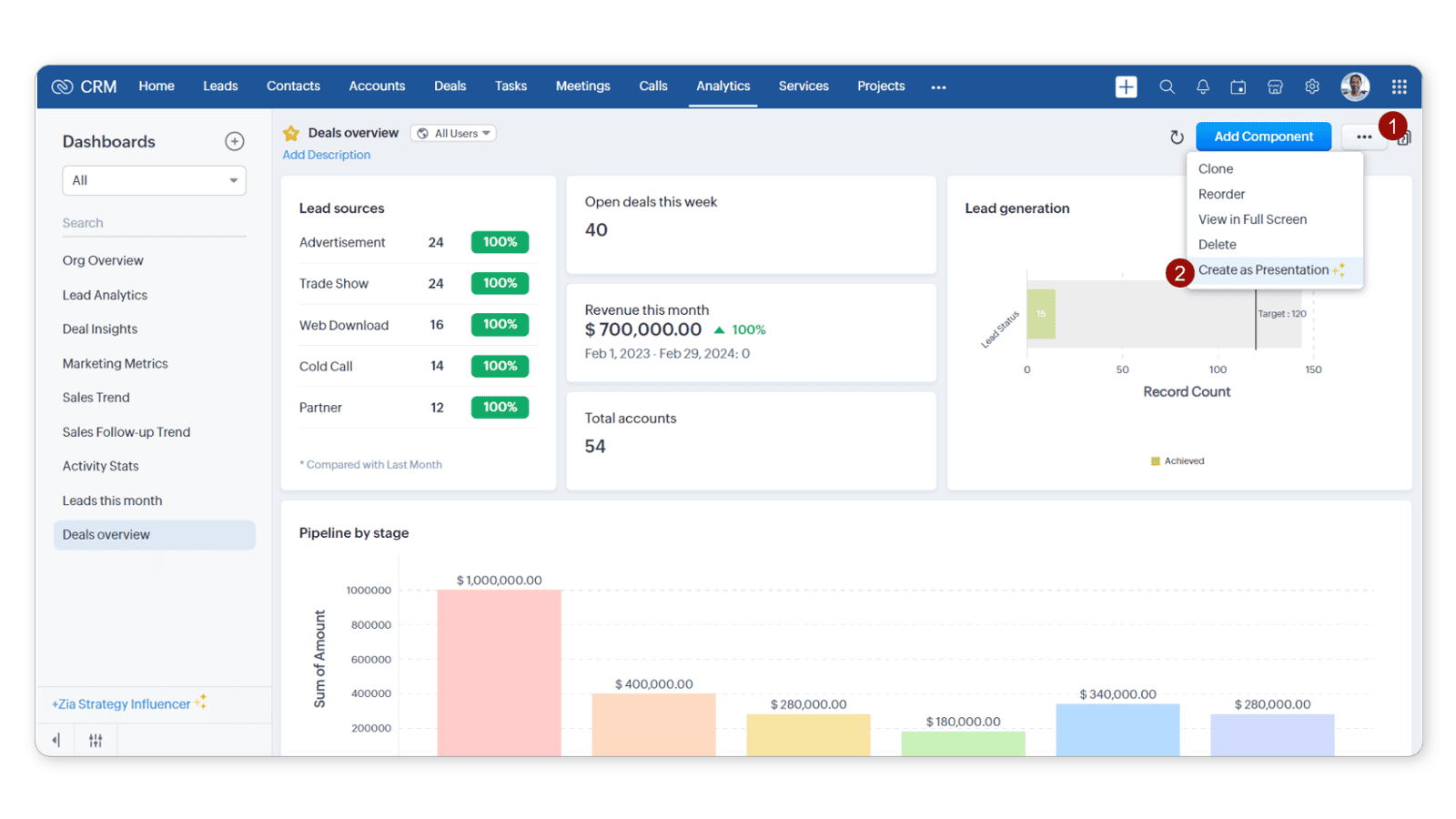
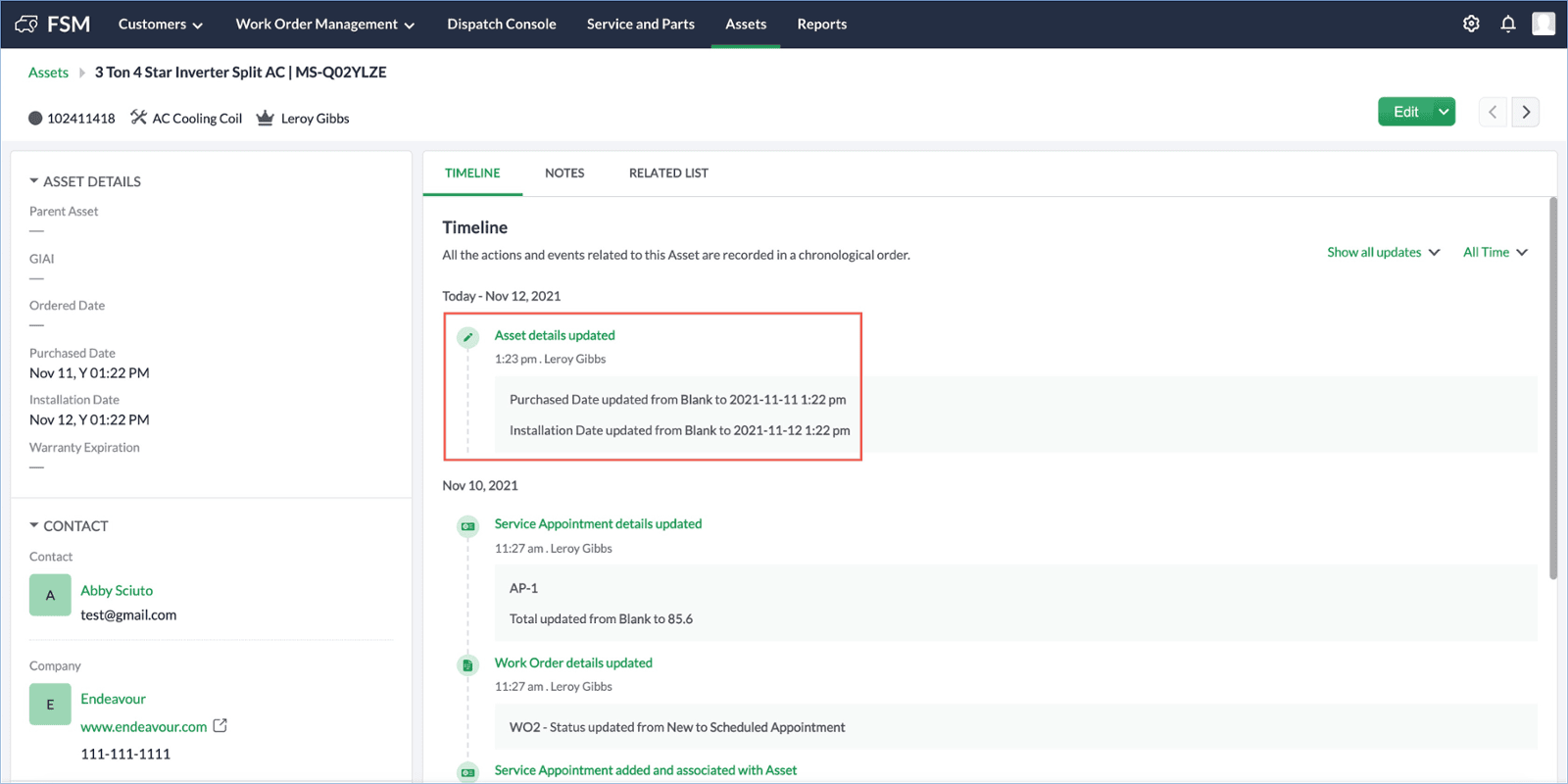
A 360-degree sales view in Zoho CRM is a centralized customer profile that shows every interaction — lead source, emails, calls, meetings, purchases, support tickets, invoices, and deal progress — inside one unified CRM dashboard.
Instead of switching between spreadsheets and disconnected tools, sales teams get a complete customer journey view in one place.
In simple terms:
360-degree customer view = centralized customer data + full interaction history + sales pipeline visibility.
This unified visibility helps businesses:
Respond faster to new leads
Personalize communication
Track the entire customer journey
Improve sales forecasting accuracy
Close deals more efficiently
Why Businesses Lose Sales Without a Unified Customer View
Most companies believe they need more leads.
But the real problem is fragmented data.
Customer information is usually scattered across:
Website forms
Email inboxes
Excel sheets
Marketing automation tools
Support platforms
Accounting software
Because systems are disconnected:
Sales teams lack context
Follow-ups are delayed
Deal history is unclear
Forecasting becomes inaccurate
Customer experience suffers
Without centralized customer data, decisions become reactive.
With a 360-degree sales view in Zoho CRM, decisions become proactive and data-driven.
How Zoho CRM Creates a 360-Degree Customer View
Zoho CRM acts as a central hub connecting marketing, sales, support, and finance into one integrated ecosystem.
It enables:
Automatic lead capture from websites and campaigns
Email and call integration
Real-time activity tracking
Unified sales pipeline management
Customer journey tracking
AI-driven sales insights
Built-in AI assistant Zia analyzes data patterns and helps sales teams prioritize high-intent prospects.
Instead of guessing which lead to call first, teams see clear signals.
What Information Appears in a 360-Degree Customer Profile?
Inside Zoho CRM, a unified profile includes:
Lead source & campaign attribution
Complete email and call history
Meeting records
Purchase history
Open support tickets
Invoice and payment status
Deal stage and win probability
Activity timeline
Notes and scheduled tasks
This eliminates confusion between departments.
Every interaction becomes visible.
Every conversation becomes informed.
Key Benefits of a 360-Degree Sales View in Zoho CRM
1. Faster Lead Response & Higher Conversions
CRM automation assigns leads instantly and triggers follow-up reminders.
Studies show businesses using CRM automation can increase sales productivity significantly due to faster response times.
When speed improves, conversions increase.
2. Accurate Sales Forecasting & Pipeline Visibility
Managers track:
Revenue projections
Win rate percentage
Deal velocity
Pipeline health
Instead of guesswork, forecasting becomes measurable and predictable.
3. Improved Customer Experience
Customers never need to repeat information.
Sales, support, and finance teams access the same unified timeline.
This builds trust and improves long-term retention.
4. Data-Driven Decision Making
With AI-powered insights, teams can:
Identify hot leads
Detect at-risk deals
Predict deal outcomes
Optimize contact timing
Decisions shift from assumptions to analytics.
Step-by-Step: How to Build a 360-Degree Sales View in Zoho CRM
Step 1: Centralize Lead Capture
Integrate website forms, landing pages, and social media campaigns.
Step 2: Connect Communication Channels
Sync email inboxes and call tracking systems.
Step 3: Configure Sales Pipeline Stages
Define clear deal stages for better sales pipeline visibility.
Step 4: Enable CRM Automation
Set up:
Lead assignment rules
Workflow automation
Email sequences
Activity reminders
Step 5: Integrate Marketing, Support & Finance
Connect campaign data, support tickets, and invoice records to create full customer context.
Step 6: Monitor Analytics Dashboard
Track:
Conversion rate
Revenue trends
Team performance
Pipeline growth
Consistency ensures long-term CRM success.
Before vs After Implementing a 360-Degree CRM System
Before:
Scattered spreadsheets
Missed follow-ups
Inconsistent forecasting
Slow decisions
After:
Centralized customer data
Automated follow-ups
Real-time reporting
Predictable revenue growth
The difference is clarity.
Integration Options in Zoho CRM
Native integrations within the Zoho ecosystem
Business suite integration for unified operations
Third-party tool connections (accounting, ERP, e-commerce)
API-based custom integrations
This flexibility allows businesses to build a scalable CRM environment.
Best Practices to Maintain a Healthy 360-Degree CRM
Clean duplicate data regularly
Review automation workflows quarterly
Train sales teams continuously
Monitor weekly performance dashboards
Improve processes as business scales
A CRM is not a one-time setup — it is an evolving growth engine.
Frequently Asked Questions
Q1. What is a 360-degree sales view in Zoho CRM?
A 360-degree sales view in Zoho CRM is a centralized customer profile that shows all interactions, transactions, communications, and deal progress in one unified dashboard.
Q2. Why is a unified customer view important for sales?
It improves lead response time, enables personalized communication, increases forecasting accuracy, and reduces lost opportunities.
Q3. Can small businesses implement a 360-degree CRM system?
Yes. Small businesses benefit greatly because centralized customer data eliminates manual tracking and improves operational efficiency.
Q4. Does CRM automation increase conversion rates?
Yes. Faster follow-ups and automated workflows significantly improve sales productivity and conversion performance.
Conclusion: Turn Your CRM into a Predictable Sales Engine
A 360-degree sales view in Zoho CRM transforms scattered customer data into actionable insights.
When leads, conversations, deals, support history, and payments live in one system:
Visibility increases
Decisions become faster
Forecasts become accurate
Conversions improve
Instead of managing data manually, you build a structured and scalable sales process.
Ready to Implement a 360-Degree Sales View in Zoho CRM?
If you want to centralize customer data, automate follow-ups, and improve pipeline visibility:
Book a free CRM consultation and discover how a unified customer view can increase your revenue and operational clarity.
For more information please visit www.pfc-group.com